
What you’ll build
You will add one or more supporting merchandising elements to a Full Page Bundle: a free gift earned by meeting a condition, a paid add-on, a complementary upsell, and customer messages that explain each state. The objective is a bundle where customers can distinguish the required products, free rewards, and paid extras before reaching Shopify cart.
These features are available as selling capabilities rather than advanced design gates. Use them because they improve the offer, not simply because the controls exist.
Before you begin
Finish the bundle’s required steps and selection rules first. Verify that the base bundle can be completed and added to cart without optional merchandising. This gives you a known-good path to compare after each feature is enabled.
Prepare eligible Shopify products and variants for gifts and paid extras. Confirm status, inventory policy, price, and imagery. Decide what should happen when a gift becomes unavailable. A free label cannot override the underlying product’s ability to participate in the Shopify cart.
1. Write the merchandising promise
Define each element in one sentence:
- Free gift: “Choose five bundle items and receive the travel pouch free.”
- Add-on: “Add the gift wrap for $5.”
- Upsell: “Complete the routine with the storage case.”
If the customer cannot tell whether an item is required, free, or paid, rewrite the offer before configuring it. Avoid calling a paid product a “gift” or placing an undisclosed paid extra into the summary.
2. Open Free Gift & Add Ons
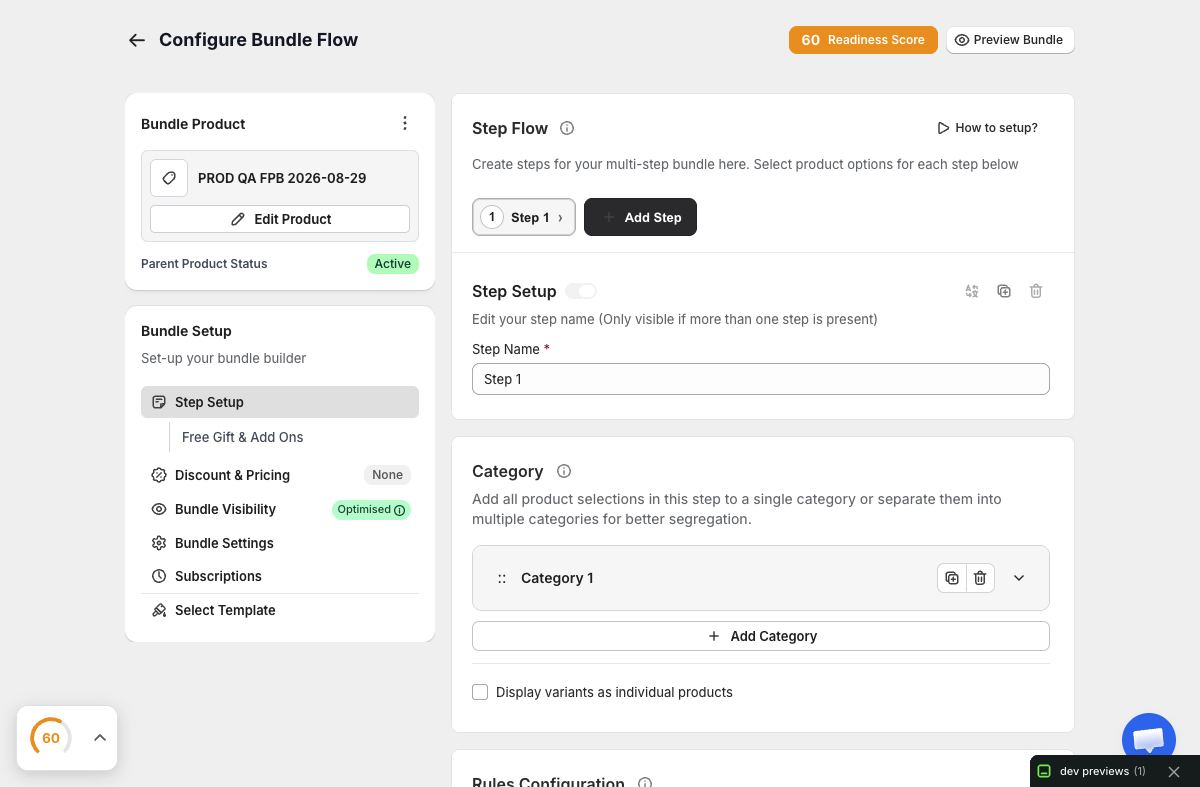
In the Full Page Bundle editor, open Free Gift & Add Ons. Configure one feature first and save it as a testable slice. Starting with everything enabled makes it difficult to identify which rule caused an unexpected state.
Select products at the variant-aware level provided by the editor. The storefront and cart ultimately depend on valid Shopify merchandise. Recheck the choice after product or variant changes in the catalog.
3. Configure free-gift eligibility
Set a threshold or condition that customers can reach under the bundle’s existing selection rules. If the gift unlocks at five items, make sure the combined step maxima allow at least five. Decide whether a customer chooses among gifts or receives a defined gift.
Create messages for three conditions: locked, eligible, and selected/added. The locked state should explain what remains. The eligible state should present the reward without implying it is already in the cart. The completed state should show the gift clearly in the summary with a free price treatment.
Test falling back below the threshold. Removing a qualifying item should revoke or update the gift state predictably and recalculate the summary.
4. Configure a paid add-on
An add-on is optional merchandise with a real price. Label it separately from the free gift and show its price at selection time. Confirm whether quantity can change and whether the add-on contributes to bundle thresholds; use the saved behavior consistently in your copy.
Test the bundle total before and after selecting the add-on. The difference should equal the expected price and any legitimate discount treatment. In Shopify cart, the add-on should remain identifiable as the variant the customer chose.
5. Add an upsell without interrupting completion
Use an upsell for a complementary product that is not necessary to satisfy the base bundle. Place the explanation at a point where the customer has enough context to evaluate it. The decline path must remain obvious; a customer who says no should be able to finish the bundle normally.
Keep the number of offers small. Several upsells after a multi-step builder can feel like the journey never ends. Measure whether the extra offer helps revenue without damaging completion.
6. Coordinate discount and progress messaging
Read the entire experience as one conversation. A tier message might say “Add one more item for 15% off” while a gift message says “One item until your free pouch.” If those thresholds differ, make the distinction explicit.
Do not combine subtotal, savings, free labels, and paid add-on price into a single unexplained number. The summary should let a customer reconstruct the total. Use consistent product names and avoid celebratory text that claims a reward before its condition is actually satisfied.
7. Test state transitions in preview
Start below every threshold. Add products one at a time, cross the discount and gift thresholds, select the gift if required, add and remove the paid extra, accept and decline the upsell, then go backward and remove a qualifying item.
At every point, inspect instructions, badges, progress, summary lines, savings, and total. Test at least one unavailable or changed variant if your approved fixture permits it. The goal is to find stale eligibility—a gift or message that remains after its condition no longer holds.
8. Verify the Shopify cart
Open the saved bundle in a cache-bypassed storefront. Complete representative paths: base only, base plus gift, base plus add-on, and the full qualifying bundle. Confirm Shopify cart contains the expected component variants and quantities.
The gift should carry the intended free treatment, while paid extras should contribute transparently to the total. Remove a qualifying component in cart if the supported flow permits and check that the result remains safe. Shopify cart and checkout are the authority for the transaction.
9. Check incompatibilities before adding subscriptions
Bundle Subscriptions require a shared selling-plan group and compatible plan IDs across every selectable variant. They also block enabled free-gift, add-on, and personalization branches in the current supported workflow. If subscriptions are essential, use a separate, compatible bundle design rather than trying to hide the conflict.
Troubleshooting
The gift never unlocks. Compare its condition with the base bundle’s selection limits and verify the qualifying count. Check that the gift variant is still valid.
The gift stays after eligibility is lost. Reproduce the exact add/remove sequence and review the summary and cart. Do not publish until revocation is predictable.
A paid add-on is shown as free. Recheck the selected feature type, product price, discount interaction, and customer copy. The cart total must match the displayed promise.
Subscriptions cannot be enabled. Remove incompatible gift, add-on, or personalization branches from that bundle, then use the subscription readiness flow. Do not work around compatibility checks with custom code.
The offer feels overwhelming on mobile. Reduce optional offers and shorten messages without removing their meaning. Complete the whole path in a 390-by-844 window.
Merchandising checklist
Each optional item has one clear role; thresholds are reachable; messages update in both directions; free and paid lines are visually distinct; and the Shopify cart agrees with the final summary. That is the difference between a useful incentive and a confusing promotion stack.